To set up an electronic drum kit, you assemble the metal rack frame, mount the drum pads and cymbal pads onto the frame at the correct heights and angles, run the cables from each pad into the sound module (the "brain"), and then connect your headphones or amplifier to the module's output. The whole process takes 30–90 minutes depending on the kit and your familiarity with the setup.
Electronic kits have a lot going for them — quiet practice, built-in sounds, headphone compatibility — but the setup process can look intimidating the first time you open the box. There are more cables than you might expect, the rack has a lot of adjustment points, and the module settings aren't always intuitive. Get one thing wrong and you get no sound, or you get a pad that doesn't respond the way it should.
This guide walks you through the complete setup process from rack assembly to first hit, including how to position each pad ergonomically, how to route cables properly, and how to configure the module for the most realistic playing feel. We've also covered the most common setup mistakes beginners make and practical tips for dialing in your kit once it's built. By the end, you'll have a fully functional electronic kit ready to play.
When you’re done reading, you will be familiar with:
- What's in the Box: Electronic Kit Components
- Tools You'll Need
- Step-by-Step: Assembling Your Electronic Drum Kit
- Getting the Positioning Right
- Connecting to Headphones, Amp, or Audio Interface
- Setting Up the Sound Module
- Common Setup Mistakes
- Beginner Tips for Electronic Drummers
- Conclusion
- FAQ
What's in the Box: Electronic Kit Components
Before you start building, get everything out of the box and laid out on the floor. Electronic kits typically include the following components — though exact configurations vary by brand and model:
- Rack frame (or stands). Budget kits often use individual stands for each pad (similar to acoustic drum stands). Mid-range and higher kits usually come with a single central rack system — a framework of metal tubes that everything clamps onto. Rack systems are more stable and easier to adjust.
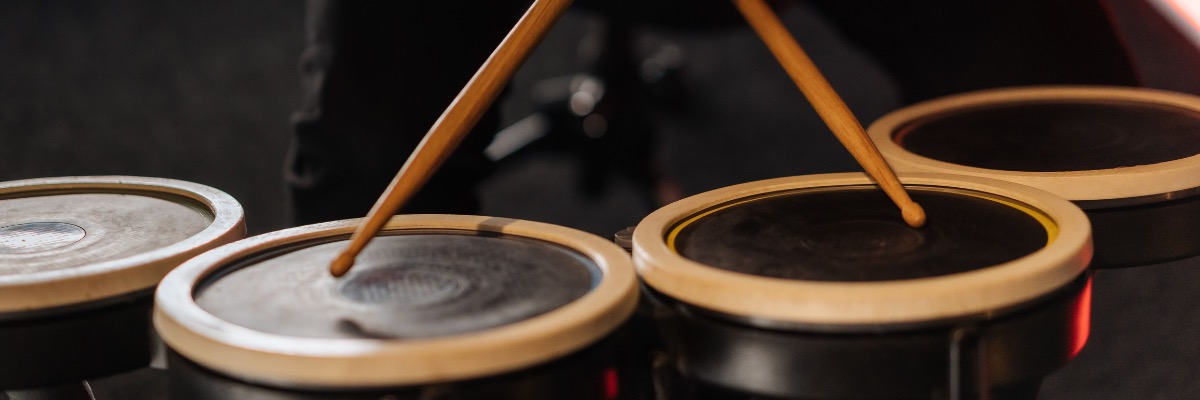
- Drum pads. These replace your acoustic drums — a snare pad, bass drum pad, and two to four tom pads depending on the kit. Most are rubber or mesh-head. Mesh pads have a much more realistic feel and significantly lower noise than rubber pads.
- Cymbal pads. Usually three: a hi-hat pad (which sits on its own stand with a hi-hat controller pedal), a ride cymbal pad, and one or more crash cymbal pads. The hi-hat pad is the most complex component in the whole kit.
- Bass drum pad and kick pedal. The bass drum pad sits on the floor and your kick pedal attaches to it just like on an acoustic kit. The pad itself is a rubber or foam-core unit that replaces the acoustic bass drum.
- Hi-hat controller pedal. This is a separate pedal (not the kick pedal) that connects to the module and tells it whether your hi-hat is open, closed, or somewhere in between — giving you the same dynamic range as a real hi-hat. Don't confuse this with the kick pedal.
- Sound module (brain). The central hub of the kit. Every pad and cymbal connects into it via individual cables, and it converts your hits into audio signals. The module also contains the drum sounds, sensitivity settings, metronome, and various practice features.
- Cable snake or individual trigger cables. These run from each pad to the module. Higher-end kits sometimes include a cable snake — a single multi-conductor cable that routes cleanly around the rack.
- Power adapter. The module needs power. Most kits use a standard DC power adapter similar to a laptop charger.
Take the manual out and keep it accessible. Electronic kit setup is model-specific in places — particularly cable routing and module configuration — and the manual will tell you exactly which input on the module corresponds to which pad.
Tools You'll Need
Electronic drum kits are designed to be assembled without specialized tools, but having a few things ready will make it faster and easier:
- A drum key. Many rack clamp systems use drum-key-style wing nuts rather than standard bolts. If you don't have one, a standard drum key fits almost every electronic kit clamp on the market.
- A screwdriver. Some kits require a Phillips head for certain mounting screws. Check what your rack clamp hardware looks like before you start.
- A tape measure or your arm span. You'll use this to double-check rack height and pad placement before tightening everything down.
- Cable ties or velcro straps (optional but highly recommended). Electronic kits generate a lot of cables. Cable ties keep everything routed cleanly along the rack and prevent cables from getting pulled and disconnected mid-session. They're worth the five minutes of tidying.
- A drum rug or mat. Just like an acoustic kit, your kick pedal will creep forward on hard floors. A non-slip rug under the kit prevents this and also reduces vibration transmission to floors and downstairs neighbors.
Step-by-Step: Assembling Your Electronic Drum Kit
Work through these steps in order. Changing the sequence — particularly trying to mount pads before the rack is properly built — creates stability problems that are annoying to go back and fix.
1. Lay Out the Rug and Position the Rack Footprint
Start with the rug or mat on the floor. Electronic kits are typically more compact than acoustic kits, but they still need a defined footprint. Before assembling the rack, figure out where the kick pad will sit and roughly where the throne (drum seat) will go — you want to set everything up relative to your playing position, not the other way around.
Leave more space behind the kit than you think you need. Cables run off the back of the rack toward the module, and if the rack is pushed against a wall, cable management becomes difficult. A foot of clearance behind the rack makes the whole setup much cleaner.
2. Assemble the Rack Frame
If your kit uses a standalone rack system (rather than individual stands), assemble the main frame first. Rack systems vary by manufacturer — Roland's MDS series uses L-shaped vertical tubes with horizontal crossbars, Alesis kits often use a simpler single-bar or two-tier design — but the principle is the same: vertical posts, horizontal crossbars, and clamp positions for each pad.
Build the frame loosely first. Don't tighten anything down until you've got all the tubes in place and can see the full structure. It's much easier to adjust a loose rack than to loosen individual clamps after you've tightened them down with pads already attached.
Set the overall height of the rack with your playing position in mind. When you're seated at your throne, the rack's main horizontal bar should be roughly at chest height — high enough that the mounted pads can be positioned comfortably, but not so high that you're reaching up to play.
3. Mount the Snare Pad
The snare pad typically mounts on its own adjustable arm attached to the rack (or a separate snare stand). Position it directly in front of you, slightly to the left of center (for right-handed players), angled toward you at roughly 5–10 degrees. This mimics the ergonomics of an acoustic snare.
The snare pad should be at a height where your forearms are roughly parallel to the floor when your sticks are resting on the pad surface — similar to how you'd position an acoustic snare. Don't position it too high (forces your arms up, creating shoulder tension) or too low (creates wrist angle problems).
Leave the clamps hand-tight for now. You'll fine-tune all positions once the full kit is assembled and you're seated.
4. Mount the Tom Pads
Tom pads mount on the same style of clamp-and-arm system as the snare. Most beginner and intermediate electronic kits come with two rack toms and one floor tom equivalent.
Position the rack toms (typically 8" or 10" pads) above and slightly inside the kick drum area, angled toward you at roughly 20–30 degrees. They should be close enough that you can move between them naturally without stretching.
The floor tom pad (usually mounted lower on the rack or on its own stand) goes to your right, roughly at the same height as the snare or slightly lower. The exact angle depends on your reach and playing style.
A common mistake here is placing toms too high and too far apart. Keep them close in and reachable — you should be able to move from snare to any tom without lifting your elbow above shoulder height.
5. Set Up the Bass Drum Pad and Kick Pedal
The bass drum pad sits on the floor, slightly to the right of the center of your kit (between your feet, but angled to the right so your kick pedal aligns naturally with your right foot). The pad usually has small rubber feet or a spiked base to prevent sliding — check that these are deployed before setting it down.
Attach the kick pedal to the bass drum pad's hoop just like you would on an acoustic bass drum. The pedal's beater should strike near the center of the pad surface. Most bass drum pads have a marked sweet spot — aim for it.
Set the kick pedal spring tension to your preference before playing. If you're new to pedal technique, start with lighter tension — it requires less effort per stroke and helps you build foot endurance before adding more resistance.
6. Set Up the Hi-Hat Controller and Hi-Hat Pad
The hi-hat is the most mechanically involved component in an electronic kit. It requires two separate connections: the hi-hat pad itself (which receives your stick hits) and the hi-hat controller pedal (which tells the module how open or closed your hi-hat is).
Position the hi-hat stand to the left of the snare pad. The hi-hat pad should sit at a height where your right hand can naturally play it while also reaching the snare — for most players, this means the hi-hat is slightly higher than the snare, angled inward about 5 degrees.
The hi-hat controller pedal plugs directly into the module (usually into a dedicated "HH Control" or "Hi-Hat" input jack — separate from the pad's trigger input). Both connections are required for the hi-hat to open and close correctly. If you only plug in the pad and forget the controller, you'll hear hi-hat hits but they'll all sound fully closed regardless of foot position.
Make sure the hi-hat stand's clutch is adjusted so the pad closes fully when you press the pedal completely down and opens freely when you release it. The exact adjustment is spring-tension dependent and varies by stand model.
7. Mount the Cymbal Pads
Cymbal pads typically mount on straight or curved arms attached to the rack, or on separate boom stands. Most beginner electronic kits include one crash cymbal pad and one ride cymbal pad, plus the hi-hat pad already covered above.
The crash cymbal goes to your left, positioned above the hi-hat and slightly forward — a natural swing from your left hand's playing position. The ride cymbal goes to your right, above the floor tom area, angled at about 15 degrees toward you.
Cymbal pads need to be able to move (swivel) when you hit them — they have a rubber or foam washer at the mounting point that allows this. Make sure the wing nut at the cymbal arm is not so tight that the pad can't move at all. A pad that can't give on impact transmits the hit directly into your wrist and also damages the pad over time. Finger-tight plus a quarter turn is usually about right.
8. Route and Connect the Cables
This step takes longer than it looks. Every pad has at least one cable (a trigger cable connecting it to the module), and the hi-hat has two. With a standard five-piece kit plus three cymbals, you're managing nine to twelve cables.
Route cables along the rack tubes before connecting them to the module. Work from the pads outward toward the module — this keeps the cable runs clean and reduces the risk of pulling a cable loose mid-session. Use cable ties or velcro straps to secure cables to the rack every 30–40 cm.
Each cable connects to a specific input on the module. The module will have inputs labeled by instrument — "Snare," "HH" (hi-hat pad), "HH Control," "Tom 1," "Tom 2," "Tom 3," "Crash," "Ride," "Kick." Match each cable to its correct input. Plugging a tom cable into a crash input won't damage anything, but the pad will trigger the wrong sound until you correct it or reassign inputs in the module settings.
9. Mount the Sound Module
The sound module usually mounts on a clamp that attaches to the rack, or on a separate module stand. Position it where you can easily see the display and reach the controls from your seated playing position — typically to the right of the rack at roughly chest height.
Connect the power adapter to the module before powering on. Don't connect power while the rack is still partially assembled and cables are being routed — it's just good practice to power on last.
Getting the Positioning Right
Once everything is built, sit down at the throne and play through the kit at a relaxed pace before tightening any clamps permanently. You're looking for:
- Snare pad: Arms parallel or slightly below parallel to the floor. No shoulder tension when striking.
- Tom pads: Reachable without reaching — you should be able to move between all drums without lifting your elbow or twisting your torso.
- Hi-hat pad: Right-hand motion between hi-hat and snare feels natural and relaxed.
- Kick pedal: Your right heel sits comfortably on the footboard or floats just above it depending on your pedal technique. No excessive forward lean from the hip.
- Cymbal pads: Crashes within a natural swing from your playing position; ride pad reachable without over-extending your right arm.
- Throne height: Seated, your thighs should angle very slightly downward from hip to knee (not up). Hips slightly higher than knees is the standard ergonomic starting position.
Make all adjustments before fully tightening clamps. Once you're satisfied with the positions, go around the entire rack and tighten every clamp properly — loose clamps will cause pads to drift during playing, which is frustrating and can cause trigger issues.

Connecting to Headphones, Amp, or Audio Interface
The sound module has outputs for getting sound out of the kit. The most common options are:
- Headphones. Most modules have a standard 1/4" or 3.5mm headphone output. This is the simplest option and the one most home players use. Volume is controlled directly on the module. Any pair of studio headphones or good consumer headphones works — open-back headphones sound more natural, closed-back headphones give more isolation.
- Amplifier. If you're practicing in a space where you can make some noise, a dedicated drum amplifier or keyboard amplifier plugs into the module's main stereo output (typically two 1/4" TRS jacks). Don't use a guitar amplifier — it won't handle the full frequency range of drum sounds and can be damaged by the output level.
- Audio interface (for recording or low-latency monitoring). If you want to record your playing or use VST drum plugins on your computer, connect the module's main output to an audio interface, then route the interface output to headphones or studio monitors. This introduces the lowest possible latency and gives you the best recording quality.
For most beginners, headphones are the right starting point. They keep the volume completely private, avoid any neighbor issues, and the module's built-in sounds are usually good enough for practice.
Setting Up the Sound Module
Once everything is connected and you're getting sound, spend a few minutes in the module's settings to calibrate the kit for your playing. The most important adjustments are:
- Pad sensitivity. Each pad has a sensitivity setting that determines how hard you need to hit to get a full-volume response. If your pads are triggering at maximum volume from light hits, sensitivity is too high. If you're hitting firmly and getting quiet sounds, it's too low. Start at default settings and adjust pad by pad based on how they feel.
- Threshold. This sets the minimum hit strength that triggers a sound, filtering out false triggers from vibration. If pads are triggering when you're not hitting them (usually from nearby bass frequencies), increase the threshold slightly.
- Crosstalk cancellation. On some kits, hitting one pad triggers adjacent pads accidentally — this is called crosstalk. Most modules have a crosstalk or "xtalk" cancellation setting that reduces this. Increase it if you're getting false triggers from nearby pads.
- Hi-hat gain/sensitivity. The hi-hat controller pedal position sensitivity needs to match how you naturally close your hi-hat. If the hi-hat sounds closed even when your foot is barely touching the pedal, the sensitivity is too high. Adjust until fully open feels open and fully closed feels closed.
Your module manual will walk through each setting in detail. Don't try to optimize everything on day one — set sensitivity to a comfortable level and adjust other settings as specific problems arise.
Common Setup Mistakes
These are the setup errors that cause the most frustration — especially for first-time electronic kit owners.
Not Plugging in the Hi-Hat Controller Pedal
Why it's wrong: The hi-hat pad cable and the hi-hat controller pedal cable are two separate connections. Forgetting the controller pedal means your hi-hat has no open/close response — it plays the same sound regardless of foot position, which sounds completely unnatural and removes an essential expressive tool.
How to fix it: Locate the "HH Control" or "Hi-Hat Pedal" input on the back of your module (it's usually a separate jack from the "HH" pad input) and connect the cable running from the hi-hat pedal to it. Then check in the module settings that the hi-hat is responding correctly to foot position.
Routing Cables Loosely Without Securing Them to the Rack
Why it's wrong: Loose cables dangle, catch on your sticks and hi-hat stand, and pull out of their inputs mid-session. A disconnected cable mid-practice means silence from that pad — which is disruptive and, over time, can damage the cable jack with repeated pulling.
How to fix it: Before your first play session, route every cable along the rack tubes and secure it with velcro cable ties at regular intervals. It takes 10 minutes and you only have to do it once. Some kits include cable management clips that snap onto the rack — use them if they're in the box.
Setting Pad Sensitivity Too High
Why it's wrong: If sensitivity is maxed out, ghost notes and light rim touches trigger at the same volume as full strokes. The kit loses all dynamic range, and every hit sounds identical in volume regardless of how hard you play. This is particularly noticeable on the snare.
How to fix it: Lower the sensitivity on sensitive pads until there's a clear dynamic range between soft touches and full strokes. Most modules let you set sensitivity per pad. A good test: play a ghost note (a very quiet snare hit), then a full-velocity stroke. You should hear a clear volume difference between them.
Mounting Cymbal Pads Too Tight
Why it's wrong: A cymbal pad that can't swivel absorbs impact directly into the mounting hardware, which transmits through the rack and into the floor. More importantly, it forces your wrist to absorb each hit — which leads to wrist strain over time. It also triggers "choke" functions on some modules unintentionally.
How to fix it: Back the cymbal wing nut off until the pad can swivel freely when you hit it, then tighten it just enough that the pad doesn't sag under gravity. That's the correct tension.
Placing Pads Too Far Apart or Too High
Why it's wrong: When pads are spread out to look like a big professional kit, they're physically harder to reach. Overreaching creates tension in shoulders and elbows, increases the time it takes to move between drums, and leads to slower development of hand-to-hand coordination. Most professional drummers actually sit with a tighter, more compact setup than beginners realize.
How to fix it: Pull the kit in around you. The snare, toms, and hi-hat should all be reachable without extending your elbows above your shoulders. Think of the kit as being arranged in a semicircle just at your arm's reach, not stretched out in front of you.
Beginner Tips for Electronic Drummers
- Use a riser pad or isolation foam under the kick pedal and bass drum. Even with a drum rug, kick impact vibration transmits through floors to downstairs neighbors. A cymbal isolation pad or a dedicated drum riser (a thick foam or tennis-ball platform under the kit) dramatically reduces vibration transmission without affecting your playability.
- Practice with a metronome from day one. Most modules include a built-in metronome. Use it. Beginners often drift with tempo in ways they can't hear until they play against a click — and developing timing awareness early is one of the highest-leverage things you can do in your first year of drumming.
- Explore the kit's coaching features. Many electronic modules include built-in lessons, time-keeping exercises, and record/playback functions. The Alesis Nitro, Roland TD series, and Yamaha DTX kits all have practice modes that most owners never use. They're actually good. Try them.
- Don't ignore the mesh head tension (if you have mesh pads). Mesh drum pads have a head that can be tuned tighter or looser by adjusting a rim bolt — exactly like an acoustic head. Tighter mesh gives less rebound and a more electronic feel; looser mesh gives more bounce and feels closer to an acoustic head. Adjust to your preference.
- Know that playing position translates to acoustic kits. One misconception about electronic drumming is that it doesn't transfer to acoustic kits. The fundamental technique — stick grip, foot coordination, body positioning — is identical. How you hold your sticks on an electronic kit is exactly how you'd hold them on an acoustic kit.
- Keep the module firmware updated. Roland, Yamaha, and Alesis all release firmware updates that fix trigger issues, add features, and improve pad sensitivity algorithms. Check the manufacturer's website every few months and keep your module current.
Conclusion
Setting up an electronic drum kit well makes a real difference to how the kit feels and performs. A properly assembled rack with correctly positioned pads, clean cable routing, and calibrated module settings gives you a kit that responds the way you expect and holds up through hours of practice. Rush the setup and you'll be fighting loose clamps, erratic triggers, and bad ergonomics every time you sit down to play.
Take the 90 minutes to do it properly the first time. Follow the module manual for cable assignments and calibration — it's written specifically for your kit and will catch anything this guide doesn't cover for your model. Once it's built and dialed in, the electronic kit's biggest advantage kicks in: you can practice anytime, at any volume, without disturbing anyone around you. That alone makes the setup time worth it.
If you're still deciding whether an electronic kit is right for you, think about your space, your noise situation, and your practice goals. Electronic kits are a serious tool for serious practice — and when they're set up correctly, they're one of the best investments you can make in your drumming.
FAQ
How long does it take to set up an electronic drum kit?
First-time assembly typically takes 60–90 minutes. Once you've built the kit once and know where everything goes, rebuilding it (for moving or transporting) takes 20–30 minutes. The longest part is always cable routing and module calibration.
Can I use any headphones with an electronic drum kit?
Yes — the module's headphone output accepts any standard headphones via 1/4" or 3.5mm jack (with adapter). Closed-back headphones are generally preferred because they isolate you from any ambient noise and give a better listening experience at practice volumes.
How do I stop my kick pedal from sliding?
A drum rug is the first step. If the pedal still creeps forward, check that the pedal's heel plate is sitting flat on the rug (not on the edge where it can slide off) and that any non-slip grip on the pedal base is in good condition. Some drummers add a brick of foam or a drum anchor block behind the bass drum pad for extra security.
What's the difference between rubber pads and mesh pads?
Rubber pads are louder (you hear the stick impact clearly), have more rebound than most acoustic heads, and are found on budget kits. Mesh pads are much quieter on stick impact, have more adjustable rebound feel, and are significantly closer to playing on an acoustic head. If noise is a concern or you want a more realistic feel, mesh pads are worth the upgrade.
Why is my pad triggering twice from one hit (double triggering)?
Double triggering happens when the module reads the vibration from a single hit as two separate hits. The fix is to increase the "mask time" or "re-trigger" setting in the module for that specific pad — this sets a minimum time between recorded hits so that vibration after the initial strike is ignored. Your module manual will show you where to find this setting.
Do I need an amplifier for an electronic drum kit?
No — headphones are completely sufficient for solo practice, and most home players use only headphones. An amplifier becomes useful for playing with other musicians in the room, for performance, or for hearing yourself without the isolation of headphones. A keyboard amplifier or dedicated drum amplifier works best for this purpose.
Can I connect my electronic kit to a computer for recording?
Yes. Connect the module's main stereo output to an audio interface, then connect the interface to your computer via USB. The module outputs stereo audio that any DAW (digital audio workstation) can record. Many modules also output MIDI, which you can use to trigger drum plugins like Superior Drummer or EZdrummer for higher-quality sounds. Some modules connect directly to a computer via USB for MIDI transmission without needing a separate interface.